
Introduction
Building your first app is exciting. You may have a strong idea, a business problem to solve, or a service you want to bring to mobile users. But before hiring a developer, it is important to plan your app properly. Good planning saves time, reduces costs, prevents confusion, and increases your chances of creating an app people actually want to use.
Many app projects fail because they begin too quickly. The business owner has an idea and immediately starts looking for a developer. But without clear goals, features, user expectations, and budget planning, the development process can become stressful and expensive.
Before you hire a developer, take time to prepare. A clear plan helps developers understand your vision and gives you more control over the final product.
Start With the Main Purpose of the App
The first step is to define the purpose of your app. Ask yourself one simple question: what problem will this app solve?
Your app should have a clear reason to exist. It may help customers book appointments, order products, track progress, communicate with your business, manage tasks, or access exclusive content. The more specific your purpose is, the easier it becomes to plan features and design.
Avoid trying to make the app do everything at once. A focused app is usually better than a complicated one. Users should quickly understand what the app is for and why they should use it.
For example, if you own a salon, your app’s main purpose may be appointment booking. If you run an online store, the purpose may be easy mobile shopping. If you offer coaching services, the purpose may be lesson access, progress tracking, and communication.
Understand Your Target Users
An app should be built for its users, not just for the business owner. Before development begins, think carefully about who will use the app.
Consider their age, interests, habits, technical comfort level, needs, and frustrations. Are they busy professionals who want quick access? Are they students looking for affordable tools? Are they existing customers who already know your brand?
Understanding your audience helps shape the app experience. A business app for corporate users may need a clean and professional design. A lifestyle app for younger users may need a more colorful and interactive feel. A service app for older users may need simple navigation and larger buttons.
When you know your users, you can make better decisions about design, features, language, and functionality.
Study Competitor Apps
Before creating your app, research similar apps in your industry. Download competitor apps and study how they work. Look at their design, features, onboarding process, pricing, reviews, and user complaints.
This research can show you what users already expect. It can also reveal gaps in the market. For example, users may complain that a competitor app is slow, confusing, or missing an important feature. These insights can help you build a better product.
Do not copy competitors directly. Instead, learn from their strengths and weaknesses. Your goal is to create an app that feels useful, simple, and valuable.
List the Core Features
Once your purpose and audience are clear, create a list of features. Start with the features that are absolutely necessary for the first version of the app.
This first version is often called a minimum viable product, or MVP. The goal of an MVP is to launch with the most important features first, then improve over time based on user feedback.
For example, an appointment booking app may need user registration, service selection, calendar booking, payment, notifications, and admin management. Extra features like loyalty rewards, chat, and advanced analytics can be added later.
Separating must-have features from nice-to-have features helps control your budget and timeline. It also prevents the app from becoming too complex.
Create a Simple User Journey
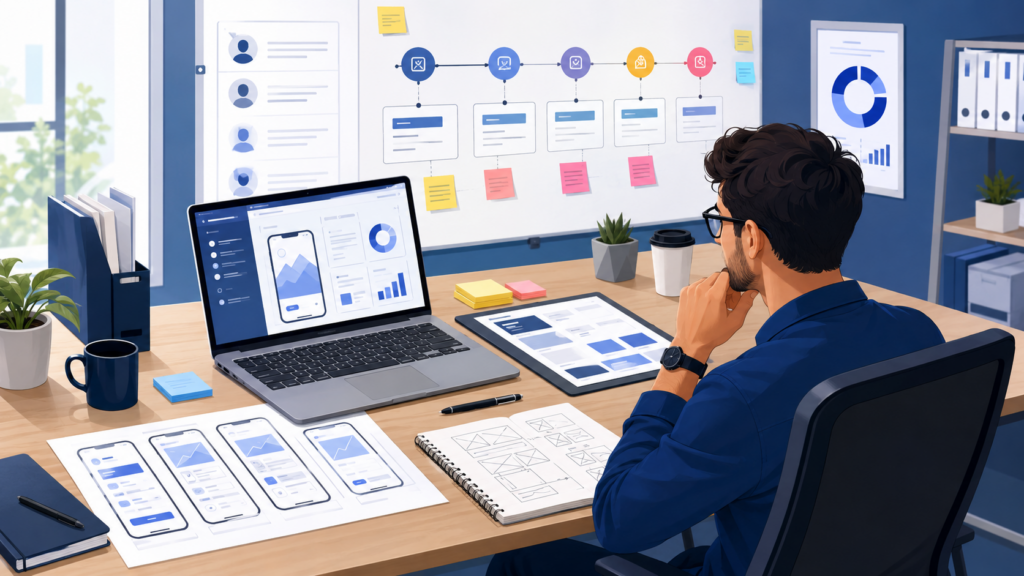
A user journey shows how people will move through your app. It explains the steps users take from opening the app to completing an action.
For example, in a shopping app, the journey may be: open app, browse products, view product details, add to cart, checkout, receive confirmation, track order.
In a booking app, the journey may be: open app, choose service, select date and time, enter details, confirm booking, receive reminder.
Mapping the journey helps you identify what screens are needed. It also helps developers and designers understand how the app should flow.
The best user journeys are simple. Users should not feel lost or forced to take too many steps.
Prepare Basic Wireframes
Wireframes are simple layouts that show what each screen may look like. They do not need to be beautiful or detailed. Even rough sketches on paper can help.
Wireframes may show the home screen, login page, menu, product page, booking screen, profile page, and checkout screen. The goal is to organize ideas visually before design and development begin.
Wireframes help reduce misunderstandings. Instead of only explaining your idea in words, you can show how you imagine the app structure.
A developer or designer can later turn your rough wireframes into professional designs.
Decide Your Budget and Timeline
App development costs can vary depending on complexity, design, features, platform, and development team. Before hiring a developer, decide your approximate budget.
Be realistic. A simple app may cost less, while a complex app with payments, user accounts, admin dashboards, chat, location tracking, or custom integrations will cost more.
Also think about ongoing costs. After launch, you may need maintenance, updates, hosting, bug fixes, security improvements, and new features. An app is not a one-time project. It needs regular care.
Your timeline should also be realistic. Rushing development can lead to mistakes. A good app takes planning, design, development, testing, and launch preparation.
Choose Between iOS, Android, or Both
Before development starts, decide which platform you want to target. Some businesses begin with one platform, while others launch on both iOS and Android.
Your choice depends on your target audience, budget, and business goals. If most of your customers use Android, that may be your priority. If your audience is split, you may need both.
You can also consider cross-platform development, where one codebase can support both iOS and Android. This can sometimes reduce cost and development time.
A developer can help you choose the best option, but it is helpful to think about this before hiring.
Plan for Testing and Launch
Testing is a critical part of app development. Before releasing your app, it should be tested for bugs, speed, usability, security, and compatibility across devices.
You should also plan your launch strategy. How will people learn about the app? Will you promote it through your website, email list, social media, ads, or existing customers?
A good launch plan helps your app gain early users. After launch, collect feedback and improve the app over time.
Conclusion
Planning your first app before hiring a developer is one of the smartest steps you can take. It helps you clarify your idea, understand your users, control costs, and communicate better with your development team.
Before development begins, define the app’s purpose, research your audience, study competitors, list core features, map the user journey, prepare wireframes, set a budget, choose platforms, and plan for testing.
A successful app does not begin with coding. It begins with clear thinking and strong planning.