
PersonWise
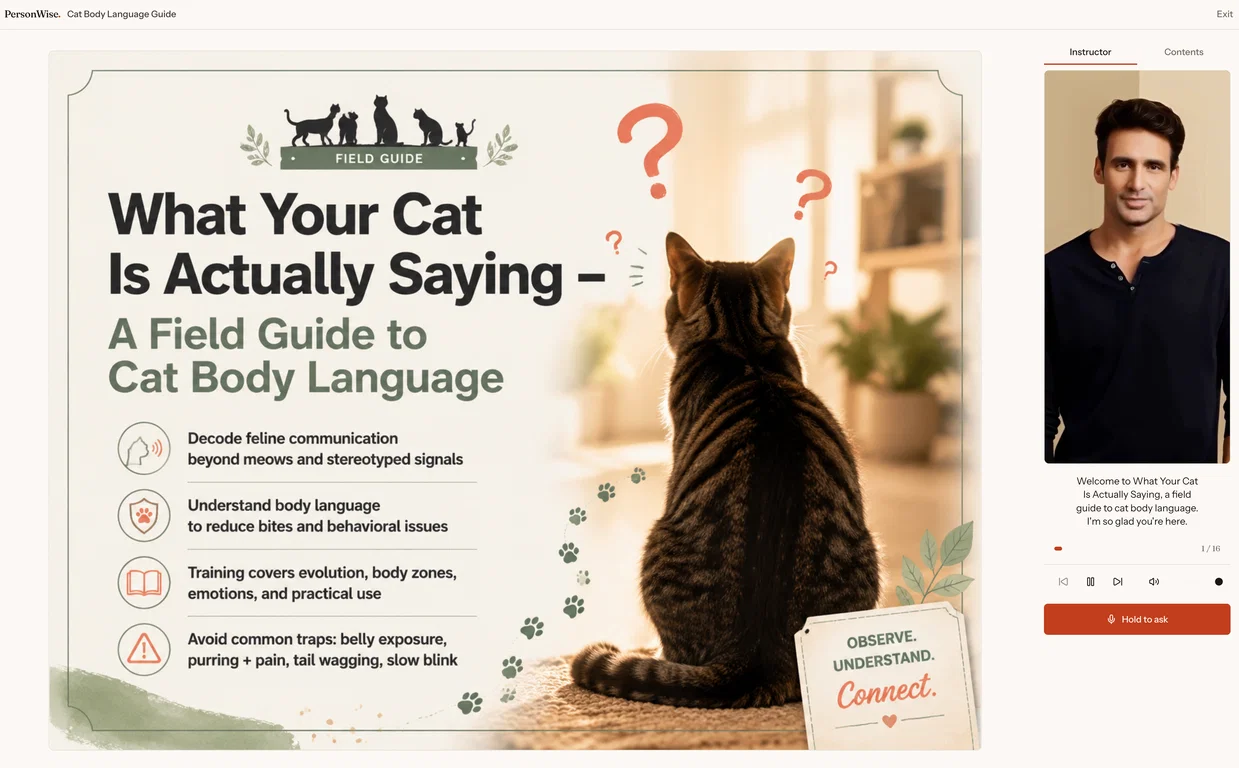
Most course and website content is one-way: people watch or read, then leave with their questions unanswered. PersonWise turns a topic or source materials into a complete interactive course with designer-grade slides, a digital-human presenter, real-time voice Q&A grounded in the course, and built-in assessment.
Learners can interrupt the presenter, ask a question, get an answer, and continue. Creators can publish by link or embed the course on any website with a YouTube-like player.
A complete course can be generated in as little as 15 minutes, in 10 languages. Team plans add assignments, completion tracking, and learner evidence.
Pros and Cons
Pros
Generates complete digital-human courses
One-line input for course creation
Designer-grade slides
Live voice Q&A sessions
Inbuilt assessments
Cons
Limited to one-line input
No manual narration option
No customization beyond editing
Cannot add personal research
Courses tied to original topic
What is PersonWise?
PersonWise is an AI-based tool designed to generate complete digital-human courses. Users can create an entire course by providing a single topic. The course includes designer-grade slides, an AI presenter, live voice Q&A sessions, and inbuilt assessment. For teams, it offers course management features such as tracking completion, assigning courses to seats, and exporting learner evidence.
How does PersonWise turn a topic into a full course?
PersonWise uses the provided topic to kick-start the comprehensive course creation process. The AI conducts research, plots an outline, crafts the narration, and designs the course pages based on this input. The result is a complete course ready for learners, all derived from a single line of input.
How does the AI presenter in PersonWise work?
The AI presenter in PersonWise is designed to periodically answer questions from learners, grounding its responses on the course’s content. This creates an interactive learning experience for users and allows them to obtain clarifications based on the topic being taught.